

1. Aerofly Homepage
  2. Forum
    1. Dashboard
    2. Unresolved Threads
  3. Blog
    1. Articles
  4. Dashboard
  5. Gallery
    1. Aerofly FS 4
    2. Aerofly FS Mobile
  • Login
  • Register
  • Search
This Thread
  • Everywhere
  • This Thread
  • This Forum
  • Articles
  • Forum
  • Files
  • Pages
  • Gallery
  • Blog Articles
  • More Options
  1. IPACS Aerofly Forum
  2. Forum
  3. Aerofly FS 2 Flight Simulator (Legacy)
  4. Legacy Aerofly FS 2 - Developers - General and aircraft

Gallery colour.

  • Overloaded
  • March 8, 2020 at 11:06 AM
  • Overloaded
    Master
    Reactions Received
    913
    Points
    11,993
    Posts
    1,600
    Images
    130
    • March 8, 2020 at 11:06 AM
    • #1

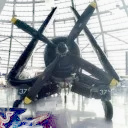
    The most recent PC section previews have a yellow cast. The main images are normal.
  • TomSimMuc
    Professional
    Reactions Received
    1,727
    Points
    6,837
    Posts
    941
    Images
    13
    • March 8, 2020 at 1:22 PM
    • #2

    It seems, that the PNG format that the author used, are irregular converted to a yellowish tone for the preview.

    So it makes sense to either block the PNG format, or to change the algorithm how PNG files are converted.

    Cheers, Thomas


  1. Privacy Policy
  2. Legal Notice
Powered by WoltLab Suite™ 6.2.3